Album-Inspired Aurora
A custom Metal shader extracts a smooth, living color palette from every track’s cover art.
Linger 1.0 · Native for macOS 14+
A featherlight macOS desktop lyrics companion with album-inspired aurora, word-by-word sync, and XDR HDR glow.
macOS 14 or later · Apple silicon & Intel · One-time purchase, no subscription
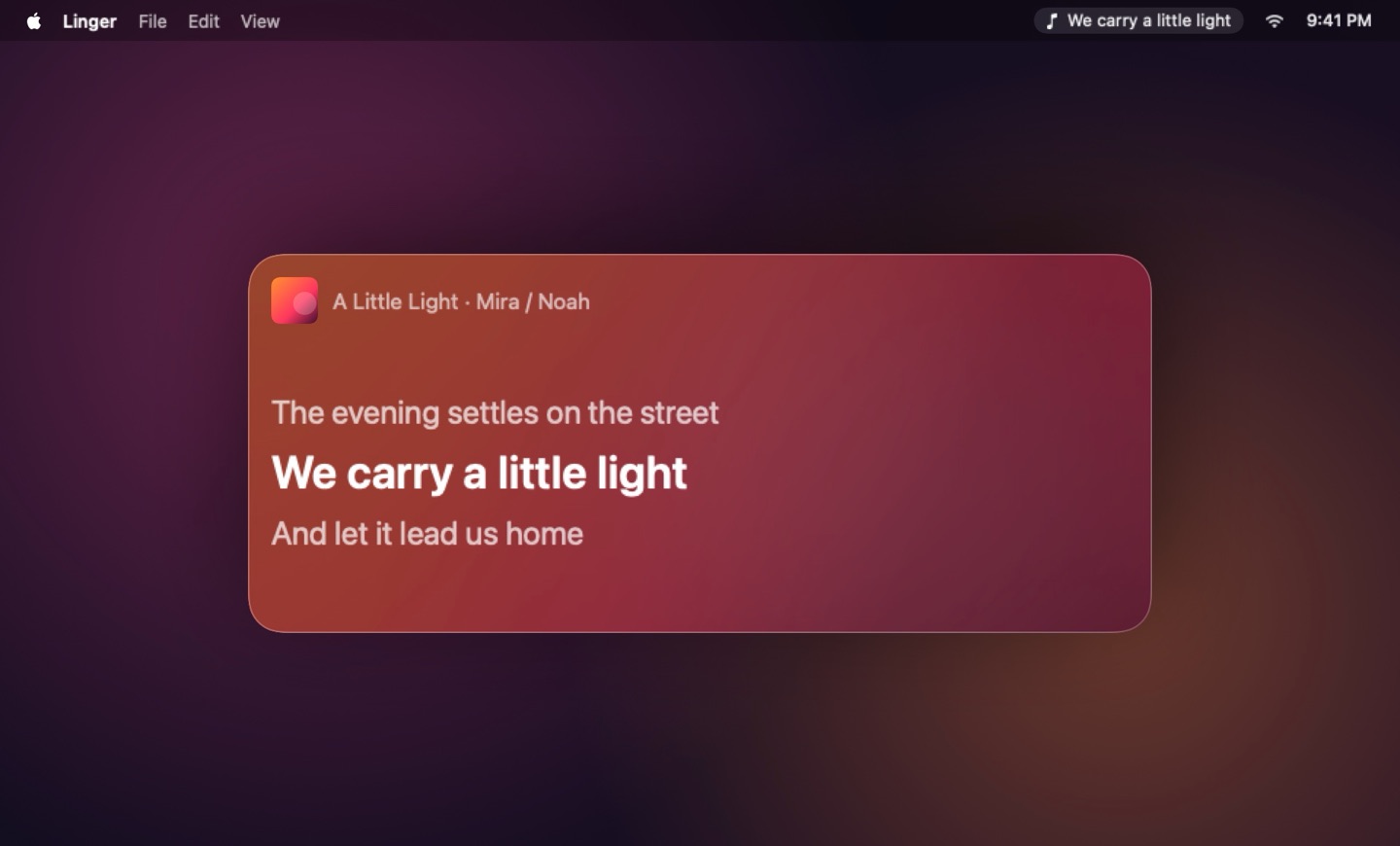
Colors extracted from the current album cover flow gently behind crisp, word-by-word lyrics.
Crafted for macOS
Built natively in Swift and Metal so lyrics feel like part of macOS itself.
A custom Metal shader extracts a smooth, living color palette from every track’s cover art.
Syllable-level lyrics illuminate in step with the voice, with true HDR brilliance on XDR Mac displays.
When music pauses, the lyrics card melts gently away from the edges—and gathers back when you hit play.
Drag anywhere, resize freely, pin to your desktop layer, lock for click-through, and fade cleanly on hover.
Favorite songs from the menu bar (synced to Apple Music), switch lyrics sources, and save per-song offsets.
Under 3% CPU while playing and 0% when idle. Offline local cache remembers lyrics for songs you have played.
Interactive Playground
Play an original synthesized track, drag the lyrics card, lock click-through, or pause to watch it dissolve.
Preparing audio preview…
WebGL preview rendered in your browser. The native macOS app adds Metal shaders and XDR HDR highlights.
Your Players
NetEase Cloud Music works right away with no extra permissions. Optionally grant Automation access for Spotify and Apple Music for tighter playback sync.
Pricing
Start with a full-featured 14-day free trial. No credit card required to download.
Secure checkout powered by Stripe (Card & Apple Pay). Instant license key delivery.
FAQ
Download Linger and use every feature free for 14 days. Afterward, a one-time $4.99 USD license unlocks Linger permanently on up to 3 Macs with free updates and no recurring fees.
Within 14 days of purchase, open our Self-Service Refund page (linked in the footer and inside Settings › About), enter your license key and purchase email, and Stripe issues an automatic full refund immediately.
Lyrics are fetched directly by your Mac from third-party sources (LRCLIB and NetEase Cloud Music) and cached locally. Linger does not host or sell lyrics itself.
No account is required. “Share anonymous usage stats” is on by default—update checks send a random install ID plus app and macOS version with no IP stored, and you can disable it anytime in Settings › General.
Reading playback state from players like NetEase Cloud Music requires macOS capabilities that Mac App Store sandboxing does not permit. Linger is notarized directly by Apple.
Open Linger › Settings › License on your old Mac and click “Deactivate This Mac” to free up that activation slot, then enter your license key on your new Mac.
Try every feature free for 14 days on macOS 14 or later.